Introduction
Terraform is a great tool for managing infrastructure and can be integrated with CI/CD pipelines for automated deployments. In order to achieve idempotency and avoid unexpected changes from version updates, terraform should be run in a container image and be pinned to a specific version.
In addition to having a pinned terraform version inside the container image, it can be a wise choice to also include a pinned version of the main provider being used for your infrastructure. For example, if you are using AWS, you can pin the terraform aws provider to your specific version.
Terraform and Provider Version Pinning
Your terraform configuration file should include the terraform and provider versions you want to use. For example:
| |
I place the above in a separate file called versions.tf and include it in any directory used by terraform.
Terraform Container Image
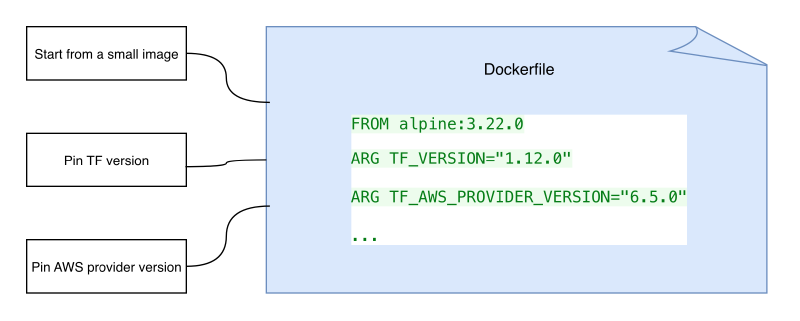
The main characteristics of a good terraform container image are:
- small size: use Alpine Linux as a base image
- pinned terraform version
- pinned provider versions
- arguments to specify the terraform and provider versions
- environment variables reflecting the used versions
This link provides an example on how to install terraform on Alpine Linux. Here is an example Dockerfile for our terraform container image:
| |
Some advantages of having a pinned terraform and provider versions are:
- The pipeline runs will be guaranteed to run in a reproducible manner
terraform initwill not download the latest provider version and will fail in case someone tries to use a different version in the pipeline- The pipeline runs will be faster since the provider will not need to be downloaded every time on
terraform init
Image Tagging
There are different ways to tag a container image. Some prefer to use the git commit hash as the tag, while others prefer to use semantic versioning. In this case, I prefer to use the explicit terraform and provider versions as the tag.
The image is therefore tagged accordingly: $IMAGE:$TERRAFORM_VERSION-$TERRAFORM_AWS_PROVIDER_VERSION. For example, an
image with terraform version 1.12.0 installed and aws provider version 6.5.0 would have the tag 1.12.0-6.5.0.
Conclusion
This post summarized the best practices for creating terraform container images to be used in CI/CD pipelines. A sequel post will cover how to configure pipeline builds and deployments using the above container image.